Books › Mix Like a Producer › Mixing in FL Studio
Mixing in FL Studio in New Zealand
If you are searching for mixing in FL Studio in New Zealand, this page gathers the parts of "Mix Like a Producer" by Yurian Barter that deal with it directly: 3 chapters, with an excerpt from each and the challenge you can do today.
Order Matters: Volume, Compression, EQ, Effects · Chapter 12
When you start mixing, you have so many knobs within reach that you don't know where to begin. I'm going to give you an order. It works.
In this chapter: Step 1: Volume · Step 2: Compress · Step 3: EQ · Step 4: Space effects · The gold-standard test: compare without effects · An exercise for your ears · The "endless tweaking" trap
The gold-standard test: compare without effects
On every channel in FL Studio, at the bottom, there's a little light. When the channel has effects switched on, it lights up in color (yellow). Click it: you turn off all the effects on that channel in one go. Click again and they switch back on.
Use it constantly: "vocal without effects / vocal with effects." If the vocal already sounds clear, present, and organized without effects, you're on the right track. If it only works with effects, you have a problem at the foundation.
Read the full guide to "Order Matters: Volume, Compression, EQ, Effects" →
Seeing the Mix: The Spectrum Analyzer · Chapter 13
Your ears get tired. Your speakers lie. Your room isn't neutral. But there's one tool that lets you see the mix instead of hearing it: the spectrum analyzer.
In this chapter: What it is · How to interpret it · Reference values · The main idea · What a familiar song tells you
What it is
It's a plugin with a graph that looks like an equalizer. Here's how to read it:
- On the vertical axis: the volume, in decibels (dB).
- On the horizontal axis: the frequencies, from lows to highs.
While the music plays, you see bars or a curve moving up and down, showing how much energy there is in each zone of the sound. It's like an X-ray.
A practical FL Studio tip: in the upper left corner of the plugin there's an option that keeps it open even when you click on other things. Turn it on, or working will be a pain, because the window closes every time you touch the Playlist.
Read the full guide to "Seeing the Mix: The Spectrum Analyzer" →
Reverb and Delay: Space Without the Mud · Chapter 15
Reverb makes a sound feel like it's in a room, a church, a bathroom. Delay is a repeating echo. Used well, they give you depth. Used badly, they turn your voice into a puddle.
In this chapter: Why we use reverb · The "same place" rule · How to set up the reverb · Keep the reverb from fighting the voice · Delay · Reverb and automation · How to tell if you went too far
How to tell if you went too far
- Can you understand the consonants?
- Do you hear the reverb only in the silences, or also while the singer is singing?
- Are there words that "drag" and blur into the next one?
If you answer badly to any of these, pull it back a little. Less is more.
Read the full guide to "Reverb and Delay: Space Without the Mud" →
Your challenge for today
Take a song with a vocal and a backing track. Pull down all the volumes and mix with volume only for 10 minutes. Write down what sounds good and what doesn't. Then apply compression, EQ, and finally reverb. Compare the before and after.
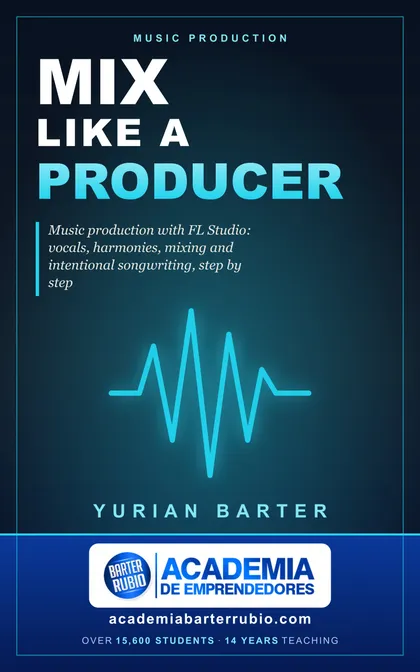
Read the whole book
"Mix Like a Producer" in PDF: 19 chapters, each with a challenge. $8.99, delivered to your email (charged in USD; your bank converts it to New Zealand dollars).
Get the PDF · $8.99Or learn it free, with a certificate
Start the free Music Production course in the Barter AI Academy app: short lessons, practice with an AI tutor and a certificate when you finish.
Start the free courseFrequently asked questions
Is there a book about mixing in FL Studio?
Yes. "Mix Like a Producer" by Yurian Barter covers it in chapters 12, 13, 15. It is available in PDF for $8.99 and arrives by email.
Can I buy it from New Zealand?
Yes. You pay $8.99 USD with PayPal or a debit or credit card; your bank converts the amount to New Zealand dollars. The PDF is delivered to your email right after the payment.
Is there a free way to learn mixing in FL Studio?
Yes. The Barter AI Academy app has a free Music Production course with a certificate. The book is the deeper, step-by-step version.
More guides from "Mix Like a Producer"
Music Production Book PDF · How to Mix Vocals · Music Theory for Producers · Circle of Fifths Explained · Microphone for Home Recording · Background Vocals and Harmonies · Mixing Order EQ and Compression · Reverb and Delay in Mixing · Sidechain Compression Explained · De-Essing Vocals · Reference Track Mixing · Panning in Mixing · How to Finish Songs · Chord Progressions for Beginners
More books by Yurian Barter
You Are the Machine · Edit Like a Director · Move the World · Ads That Sell · Google Finds You · Sell Without Pressure · Let Them Find You