Many small business owners sell every day and still don't know how much they actually earned. Business money gets mixed with household money, unpaid bills live in your memory, and the books are kept in notebooks or spreadsheets. If this sounds familiar, it's not a lack of discipline. It's a lack of a simple system. In this guide, I'll show you how to keep the books for a small business and your personal finances without being an accountant, what a good small business accounting app should include, and how to get started today with Conectari, a tool built for exactly that.
This article is educational and does not replace a CPA, enrolled agent or tax advisor. Tax obligations depend on where you live and operate, so check with a qualified professional before filing your taxes.
Why most small businesses don't know how much they earn
Selling a lot is not the same as earning a lot. These are the most common problems:
- You don't separate your money from the business's money. You pay the electric bill for your house out of the store's cash register, and at the end of the month there's no way to know the real result.
- You don't know who owes you. Installment payments and sales on credit get forgotten, and the money never gets collected.
- You don't track inventory. You buy too much, run out of your best sellers, or don't know which products actually make a profit.
- Asking for money is uncomfortable. Chasing a customer for payment feels awkward, so it keeps getting postponed.
- "Real" accounting seems complicated, so it gets left for later.
6 habits of a well-run business
- Record every sale and every expense the same day, even if it only takes 20 seconds.
- Separate personal and business finances. Pay yourself a set salary.
- Close the cash register at the end of the day and check whether it balances. If cash is short or over, you'll know right away.
- Keep accounts receivable up to date and remind customers who owe you on time.
- Track inventory for what you sell.
- Review your numbers once a week so you make decisions based on data, not gut feeling.
Start with just one habit: recording sales and expenses daily. Once it becomes routine, add cash register closing, collections and inventory.
What a good small business accounting app should have
Before choosing a tool, make sure it covers the essentials:
| Need | What it should offer |
|---|---|
| Fast recording | A quick sale screen: tap what you sold, choose the payment method, done |
| Checking that cash balances | End-of-day register close that tells you if cash is short or over |
| Getting paid on time | Accounts receivable, installments and payment reminders |
| Tracking stock | Inventory that updates automatically with every sale |
| Knowing your customers | Customer profiles with their purchase history |
| Switching from another system | Importing your data from Excel |
| Understanding your numbers | Clear summaries of sales, expenses and profit |
| Access from anywhere | Works on both phone and computer |
Conectari: your pocket bookkeeper
Conectari is an app designed for small businesses and for people who want to get their money in order without the hassle. Its approach is simple: see how much you earn, how much you're owed and how much money you have left, with business and household finances in one place.
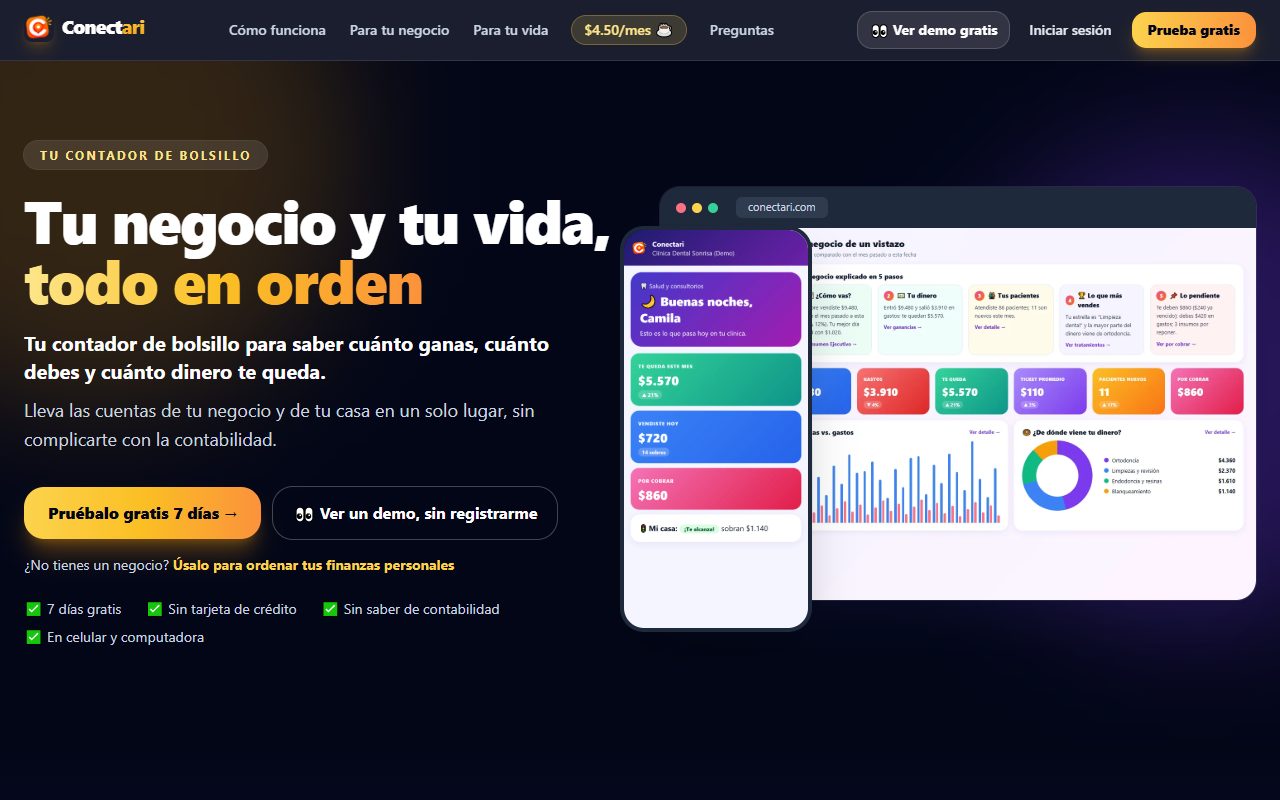
What it offers, according to its own website:
- Quick sales register and end-of-day cash close.
- Accounts receivable and installments.
- Payment reminders: the polite message is already written for you.
- Calendar for appointments and visits.
- Inventory and customers.
- Excel import: if you already tracked your business in a spreadsheet.
- Money journal and a personal finance section ("My Life").
- Works on phone and computer.
You can try it with a 7-day free trial, no credit card required, so there's no commitment.
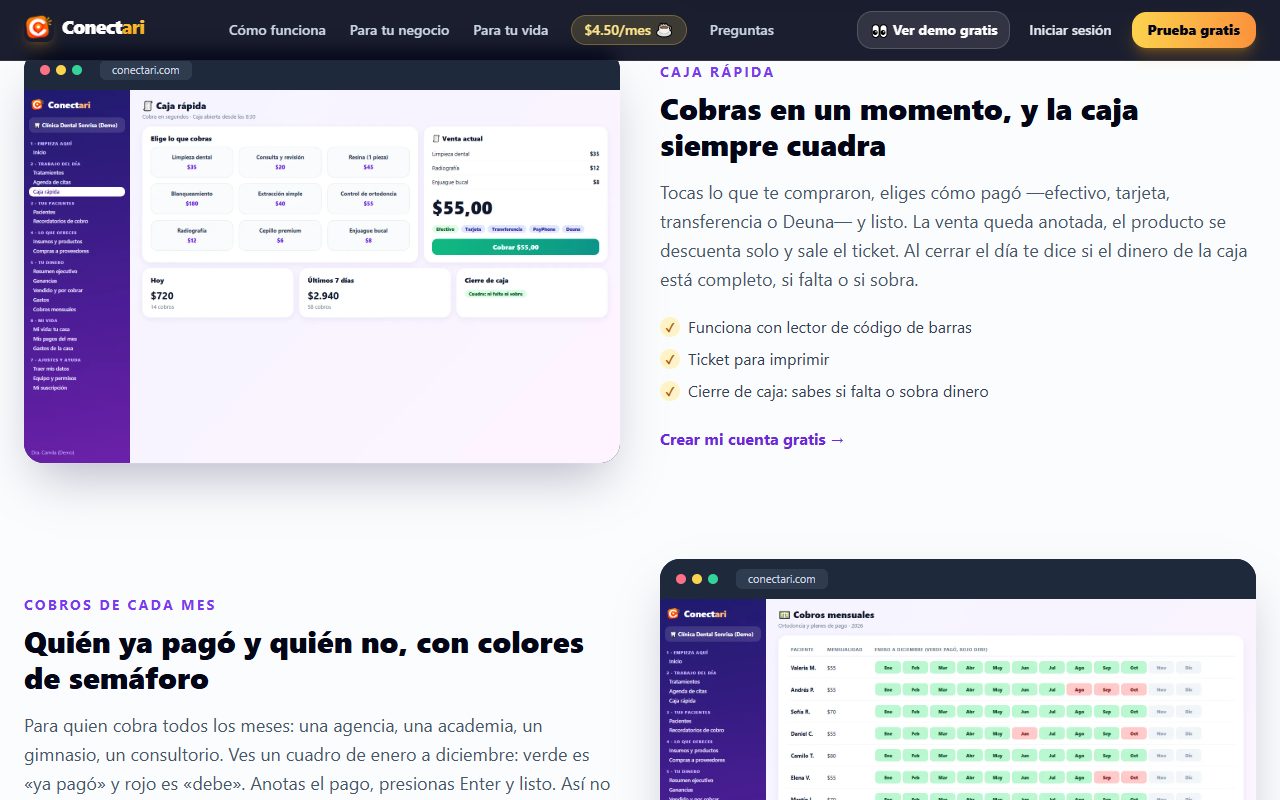
Quick sales: ring up a sale in seconds and the cash balances
Tap the items a customer bought, choose how they paid (cash, card, bank transfer or another method), and the sale is recorded. The product is deducted from inventory and, if you need one, a receipt can be issued. At the end of the day, the app tells you whether the cash drawer is complete, short or over. It also works with a barcode scanner.
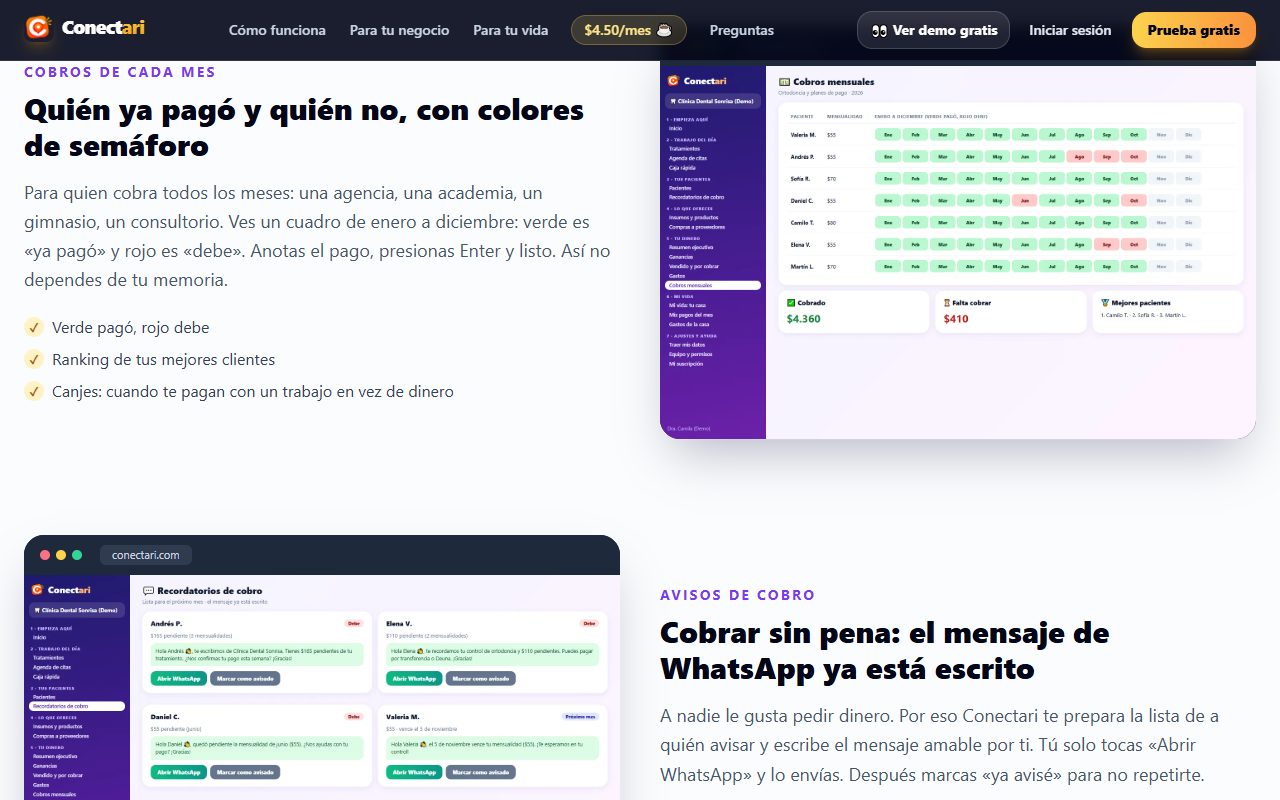
Monthly payments: who paid and who didn't, at a glance
If you bill monthly (a training academy, an agency, a gym, a medical or dental practice), the January-to-December chart shows what's been paid in green and what's owed in red. You can see at a glance how much you've collected, how much is still outstanding and who your best customers are.
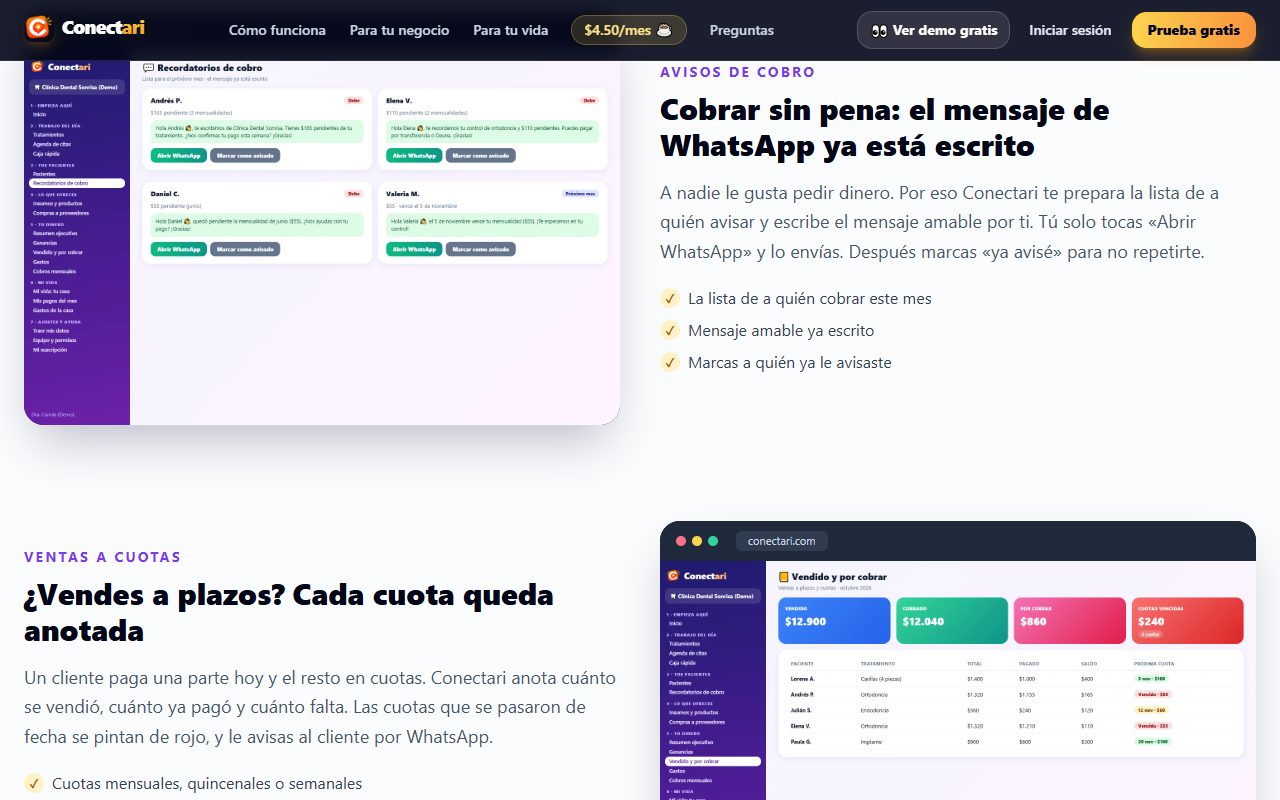
Collect without the awkwardness: the message is already written
Almost nobody enjoys asking for money. Conectari prepares the list of who to contact and drafts a friendly message. You just tap "Send reminder" and send it from your phone. Then you mark "already reminded" so you don't repeat yourself.
Separate your personal money from business money
This is the change that brings the most order to a small business. Conectari includes a personal finance section ("My Life") where you can track your household expenses, your monthly bills and what's left over, separately from the business. That way you stop paying personal bills from the business cash register and can see how much you really have left.
A practical way to do it:
- Set a fixed salary for yourself each month.
- Take it out of the business once (or on dates you've set).
- Use that salary to record your personal expenses in "My Life".
- Whatever remains in the business is for restocking inventory, covering costs and growing.
Try a demo with sample data
Want to see how it works before signing up? Conectari has demos for different business types, with no registration required and sample data. You can try the optical store and real estate demos, and find the rest of the business types at conectari.com/demo. Demos can take up to a minute to load.
Create your account and try it for 7 days with no credit card at conectari.com, or look at a demo without signing up first.
Which business types it works for
The "record, collect and track" approach fits almost any small business: retail and appliance stores, optical shops, medical and dental offices, hair salons, restaurants, real estate agencies, training academies, agencies and subscription-based services. And if you don't run a business, it works just as well for organizing your personal finances.
How to get started in one week
- Day 1: create your account and add your main products or services (or import them from Excel).
- Days 2–3: record all your sales and expenses using the quick sales screen.
- Day 4: close the cash register and check whether it balances.
- Day 5: enter your accounts receivable and send the first payment reminders.
- Day 6: set your salary and open your "My Life" space.
- Day 7: review the weekly summary and decide what to improve.
Mistakes to avoid
- Keeping the books "in your head."
- Mixing personal money with business money.
- Extending credit without recording who owes you and how much.
- Waiting until the end of the month to record everything at once.
- Confusing sales with profit: what matters is what's left after costs and expenses.
Conclusion
Good bookkeeping for a small business doesn't have to be complicated: record daily, balance the cash register, collect on time and keep your personal finances separate. With a simple tool like Conectari, you can start today with a 7-day free trial and no credit card.
Frequently asked questions
What is the best accounting app for a small business?
It depends on your needs, but it should let you record sales quickly, balance the cash register, track accounts receivable and inventory, and work on your phone. Conectari brings these features together and can be tried free for 7 days.
Do I need to know accounting to use Conectari?
No. It's designed for people without an accounting background. You record sales and expenses, and the app shows you how much you earn, how much you're owed and how much you have left.
Can I use it for my personal finances?
Yes. It includes a personal finance section for tracking household expenses and bills separately from the business.
Can I import my data from Excel?
Yes, Conectari lets you import from Excel if you already tracked your business in a spreadsheet.
Does it replace my accountant?
No. It helps you keep daily control of your business, but tax returns and legal obligations should be reviewed with a qualified accountant.
Want to practice this step by step? Barter AI Academy turns it into short lessons, challenges and projects, with Barty, your 24/7 AI tutor. See the Sales and Customer Service school.


